
Free Pro art direction passes
If you are not on Pro or Enterprise, you have 15 free Pro generations in Creative Studio: batches that get Pro art direction on the house. In October 2026 the allowance was refreshed, so people who had used theirs have a fresh 15.
At a glance
| Topic | Details |
|---|---|
| Best for | Seeing what Pro art direction does for your own campaigns. |
| Start here | Generate in Creative Studio as usual. There is nothing to switch on. |
| Outcome | Up to 15 Pro-directed batches, with the gallery showing which batches got it and how many passes you have left. |
Open it now
What Pro art direction is
Before any image is generated, Creative Studio’s art direction step turns your brief into a committed creative concept: the medium, the camera, the lighting, the composition and the typography. That is why variations come back as genuinely different shots instead of several takes of the same layout. Pro art direction runs this step on our Pro-tier engine, the premium creative direction Pro members get on every generation. Without a pass, your generations still get art direction on the standard engine.
Who gets it
| Plan | Pro art direction |
|---|---|
| Pro and Enterprise | On every new generation. Batches in the gallery show a Pro art direction badge. |
| Every other plan | 15 free Pro generations. |
How the 15 passes work
- Passes are used automatically on your Creative Studio generations while you have them. There is nothing to switch on.
- One generation run uses one pass, however many images and ratios it makes.
- A generation that is resumed after an interruption does not use a second pass.
- If the Pro art direction step fails, the generation continues with standard art direction and the pass is returned to you.
- When all 15 are used, generations continue with standard art direction. Images made with a free pass are yours to keep.
- Planning with Sparrow or Extended Planning does not use passes. Only generations do.
- Edits and regenerations of an existing image skip art direction, so they never use a pass.
The gallery banner
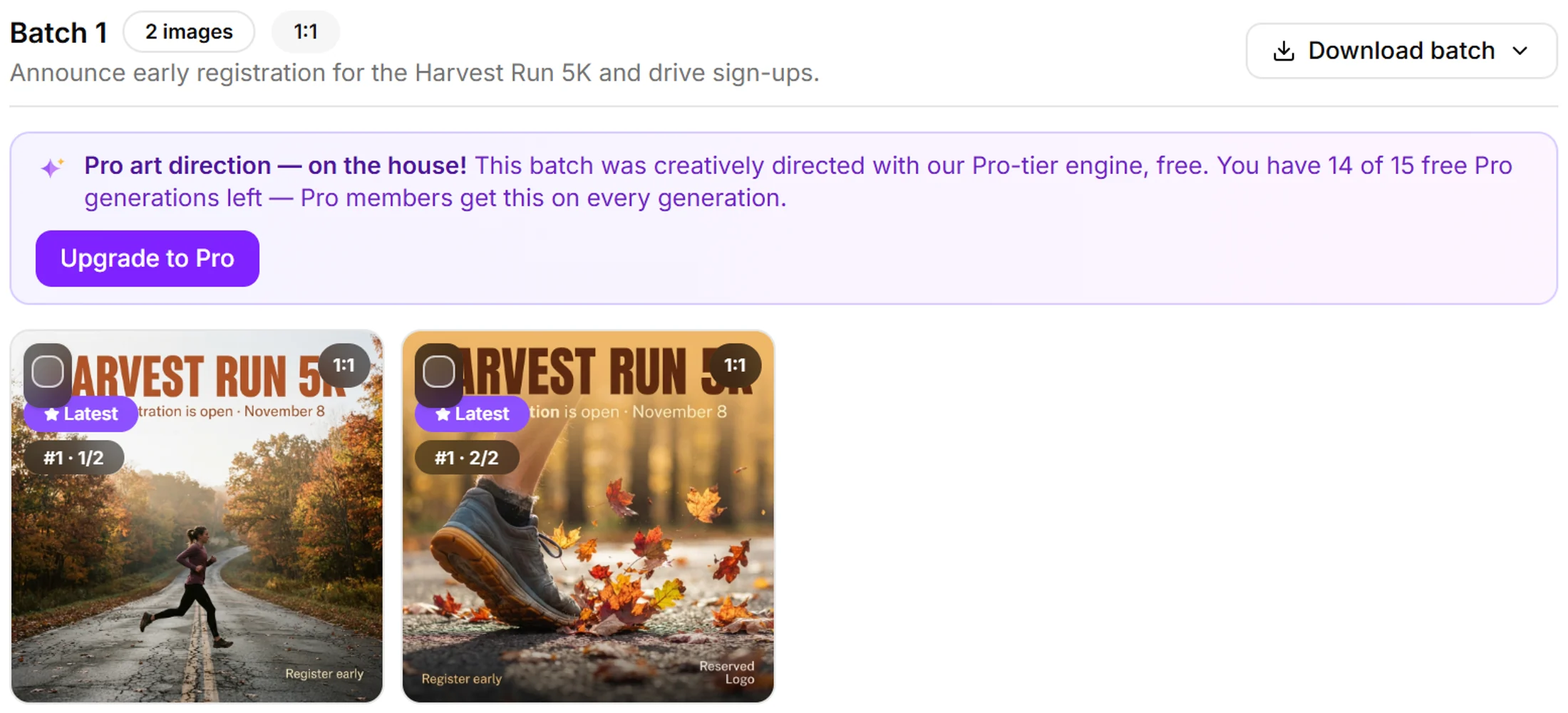
The banner appears on each batch that used a free pass.
- On a batch that used a free pass, the gallery shows Pro art direction — on the house! with how many you have left, for example “You have 14 of 15 free Pro generations left — Pro members get this on every generation.”
- On your last pass it reads “That was your last free Pro generation — subscribe to Pro to keep this on every generation.”
- Upgrade to Pro in the banner opens billing.
The October 2026 refresh
- In October 2026 the free allowance was refreshed for every account that is not on Pro or Enterprise.
- If you had used some or all of your first 15, your count starts again from 15 on your next generation.
- If you never used any, you still have 15.
FAQ
Do I need to turn anything on? No. Generate as usual and passes are applied while you have them.
Can I save passes for a particular campaign? No. They are used on your generations in order until all 15 are gone.
Where do I see how many passes I have left? In the banner on your most recent batch that used a free pass.
A new batch has no banner. Why? Your passes may be used up, the batch may be an edit or regeneration (these skip art direction), or the Pro art direction step could not run for that batch and the pass was returned. On Pro and Enterprise you see the Pro art direction badge instead of the banner.
Will the passes refresh again? There is no schedule for future refreshes. Pro and Enterprise include Pro art direction on every new generation.
Do I keep the images if I do not upgrade? Yes. Images made with a free pass stay in your gallery like any other images.