
Manage replies in Social Connect Inbox

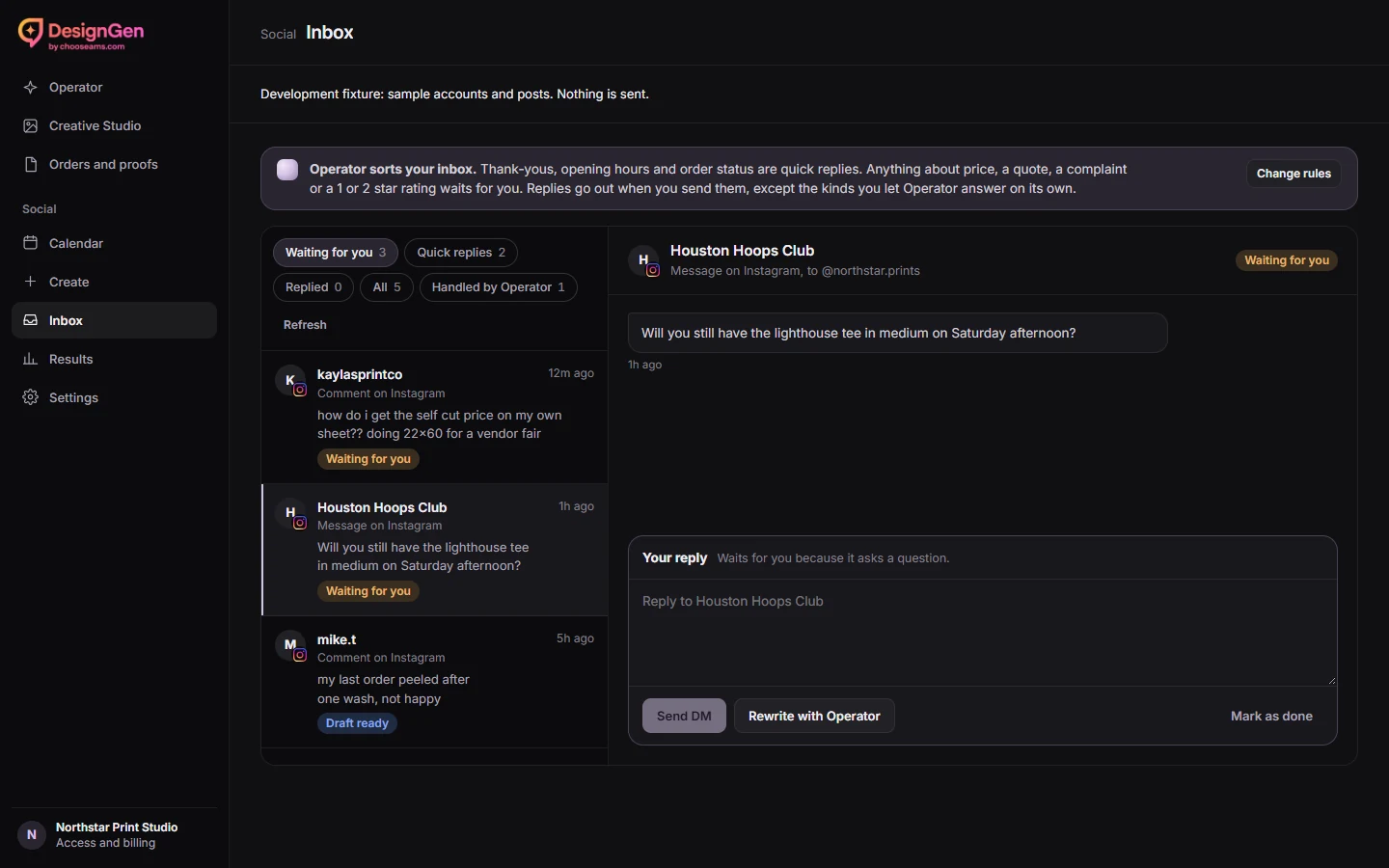
Use Social Connect Inbox to handle recent supported comments and Instagram messages. Start with one account, read the original conversation and check what each reply will say before sending.
Find the right thread
- Open Inbox and use the account and inbox filters.
- Open the comment or Instagram conversation and verify the author, destination and any source post.
- Use the suggested reply where appropriate, or write one yourself. A product question such as “Will you have a medium lighthouse tee on Saturday?” needs a stock check before you make a promise.
- Review the exact text and the reply or direct message destination. Use the send action when ready. When a link in an Instagram comment reply needs a direct message, review the DM action the interface offers.
- Use Mark as done after handling the thread. The Done mark stays in this browser. New activity can bring a conversation back.
If a send is uncertain, reopen the thread and check the existing state before trying again. If an older thread or an unsupported message is missing, check the social platform. Google reviews are outside this Inbox.
Review your reply rules
In Settings → Reply rules, choose which kinds of replies are quick and which should wait for you. Quick replies help you prepare or fill in text. Automatic sending has its own account-level confirmation and rollout.
Turn on a narrow automatic reply rule
If the automatic-replies section is available, choose one eligible account and select Let Operator answer some. Start with a category such as thank-yous and wording you would be happy to send every time. Keep prices, order specifics, quotes and complaints for manual attention.
Set the daily cap for that account. Choose Review and check the account, categories, exact text, cap and end date. Use Turn on these replies to confirm.
Review each additional account on its own.
Review and stop replies
Open Handled by Operator in Inbox to see the result. Use Turn off for this account to stop one account or the Automatic replies switch to stop them all.
Remove an already-sent reply on its social platform.
Need to find the post again? Open Calendar or read the delivery guide.