Released 10/8/2026
No invitation. No waitlist.
- Every monthly and annual Pro subscriber can open Operator now. There is nothing to accept and no invite to wait for.
- Upgrading? Operator unlocks in the same session once your subscription is confirmed, without signing out.
- Runs use credits for the tools they run, and Pro limits apply. On other plans you can still request beta access.
- How access works with Pro.


Meet Sparrow
- Sparrow and Sparrow Fast are new in the model menu for quick, dependable everyday print work. Medium US stays the default for everything else.
- When to pick Sparrow.
Print files that keep your design
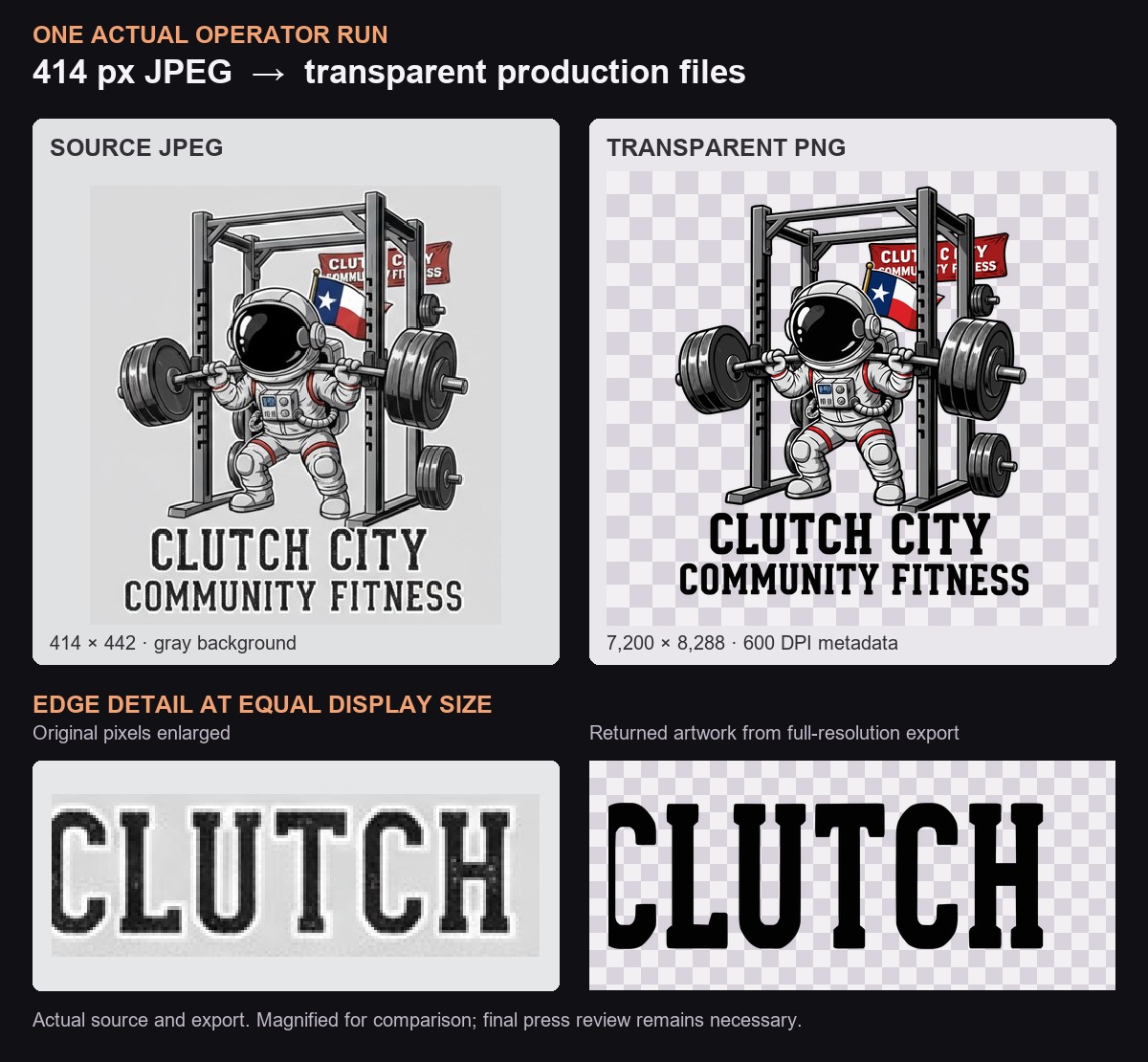
- Clean but small artwork is now enlarged faithfully instead of redrawn. Operator rebuilds only captures that cannot print as they are, like shirt photos, mockups, and screenshots.
- Operator checks transparent artwork against a color that is not in your design, so white and grey parts are not missed, and removes it without grey fringes or filled-in holes.
- Follow-ups such as "make the text grey" build on the version you approved instead of starting over.
- Results are clearer: notes that do not block delivery appear as Delivery notes, and a run that cannot finish tells you why.
- Learn when to enlarge, rebuild, or keep artwork raster.
- Step-by-step help for fixing a print file.